
GL.iNet KVM over IP RMQ1 Comet Q, also known as GLiNet Comet Q Type-C


MSRP: €129.00
Available, delivery time: 1-2 Tage
New shipment expected on or after: 31.12.2026
Product information "GL.iNet KVM over IP RMQ1 Comet Q, also known as GLiNet Comet Q Type-C"
Highlights at a glance
- The world’s first KVM with iPhone support: Control iPhones, iPads and Android devices directly from your PC or Mac
- One cable for everything: Video, data and power are transmitted via a single, permanently installed USB-C cable
- No drivers or software required: Simply plug it in and control it via a browser at glkvm.com
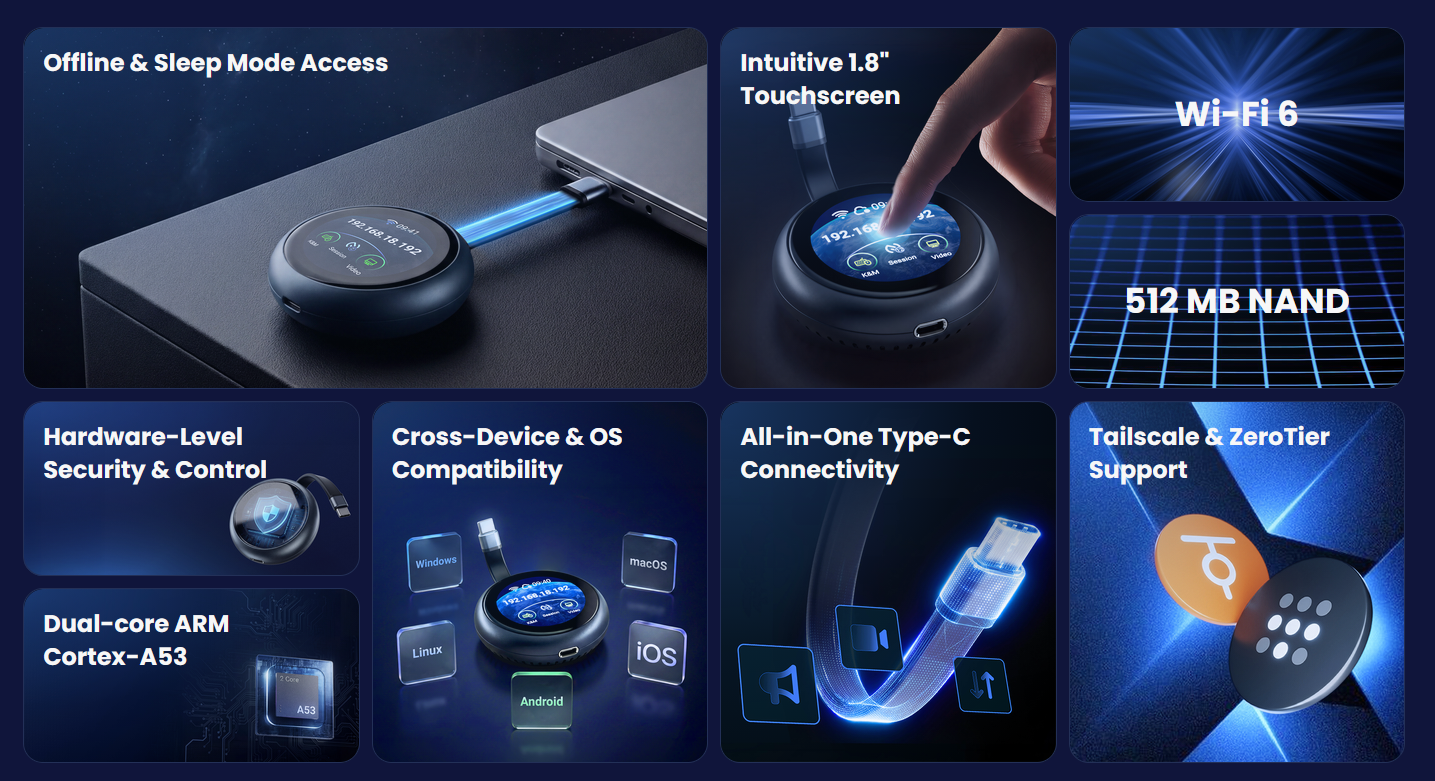
- Access even when locked or in standby mode: Full control, even when the target device is locked, in standby or offline
- 1.8" touchscreen: Quick setup, status display and control directly on the device
- Wi-Fi 6 (802.11ax): Stable, fast connection for remote access via the network
- USB-C power pass-through: Charges the connected device whilst in use
- Cross-platform: Works regardless of the operating system – Windows, macOS, Linux, Android and iOS
- Secure on the go: Built-in Tailscale and ZeroTier support for encrypted remote access
- Ultra-compact & lightweight: Just 78.5 g – fits comfortably in any pocket
Product description
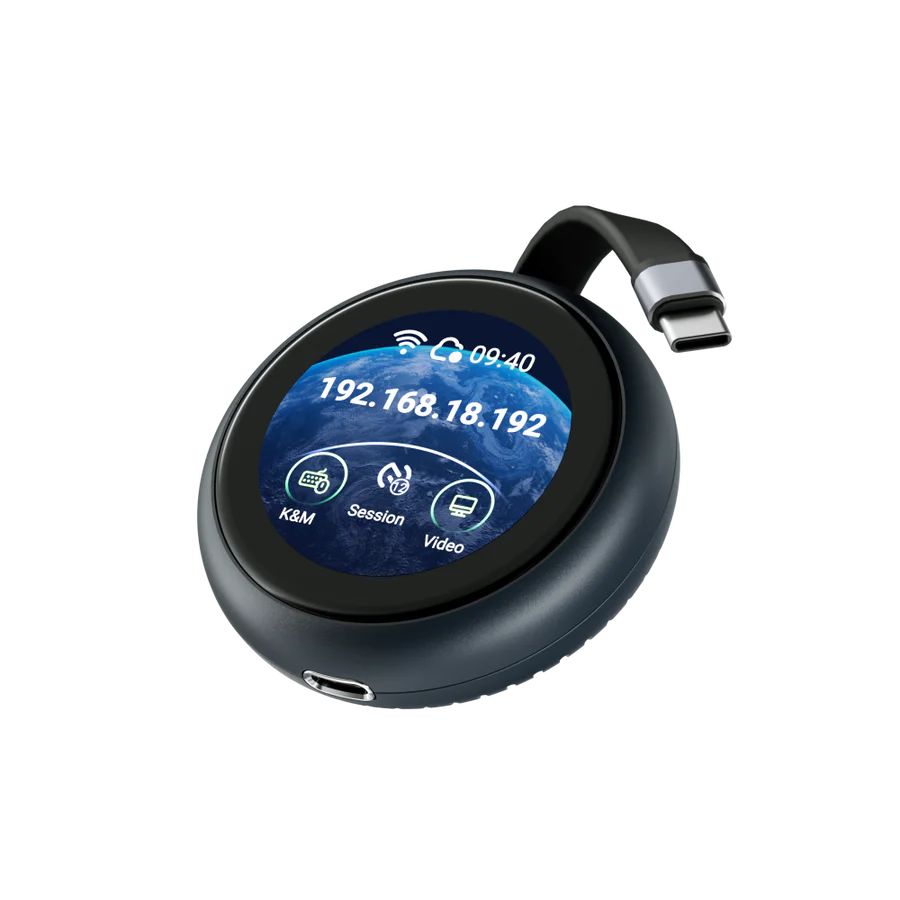
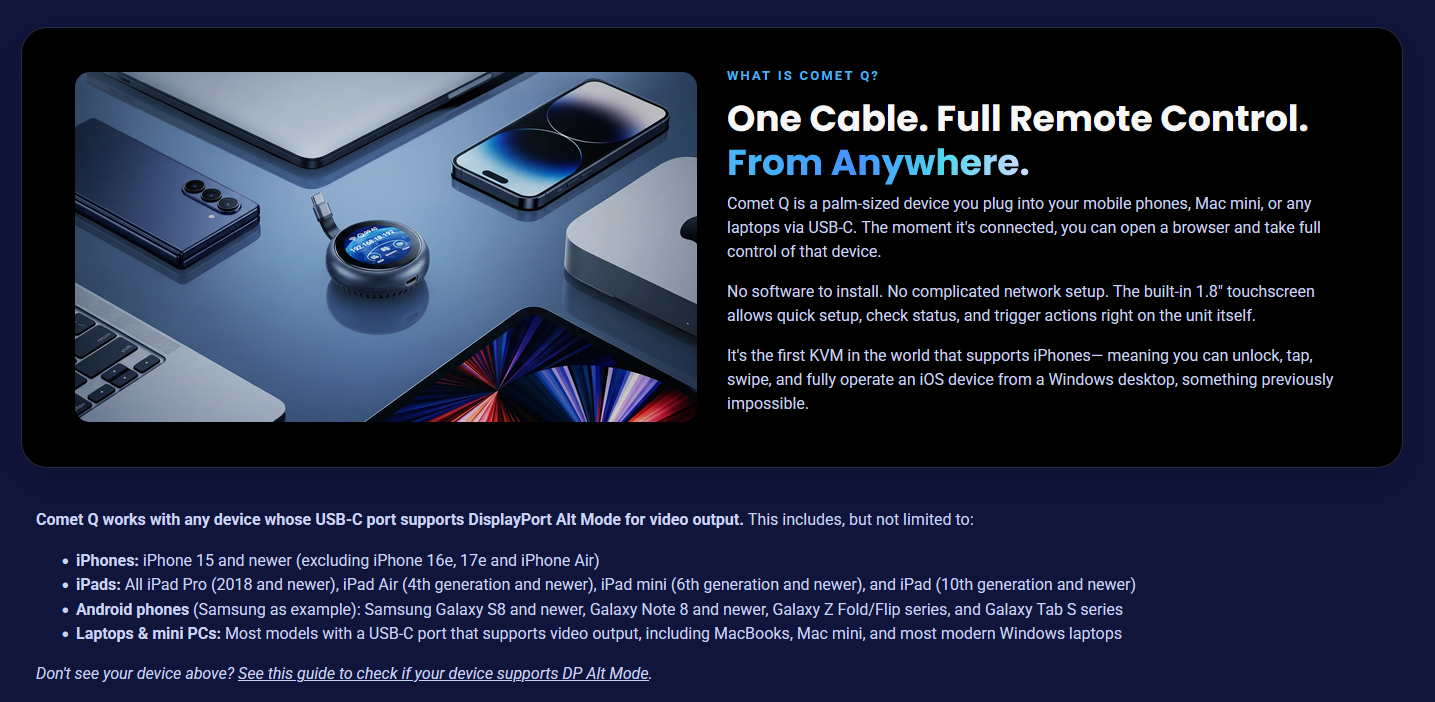
The Comet Q (GL-RMQ1) from GL.iNet is the world’s first KVM device that enables remote control not only of servers and PCs, but also smartphones and tablets. Palm-sized, with a permanently attached USB-C cable, it connects in seconds to iPhones, iPads, Android devices, MacBooks, Mac minis or Windows laptops – and makes them remotely controllable via any browser.
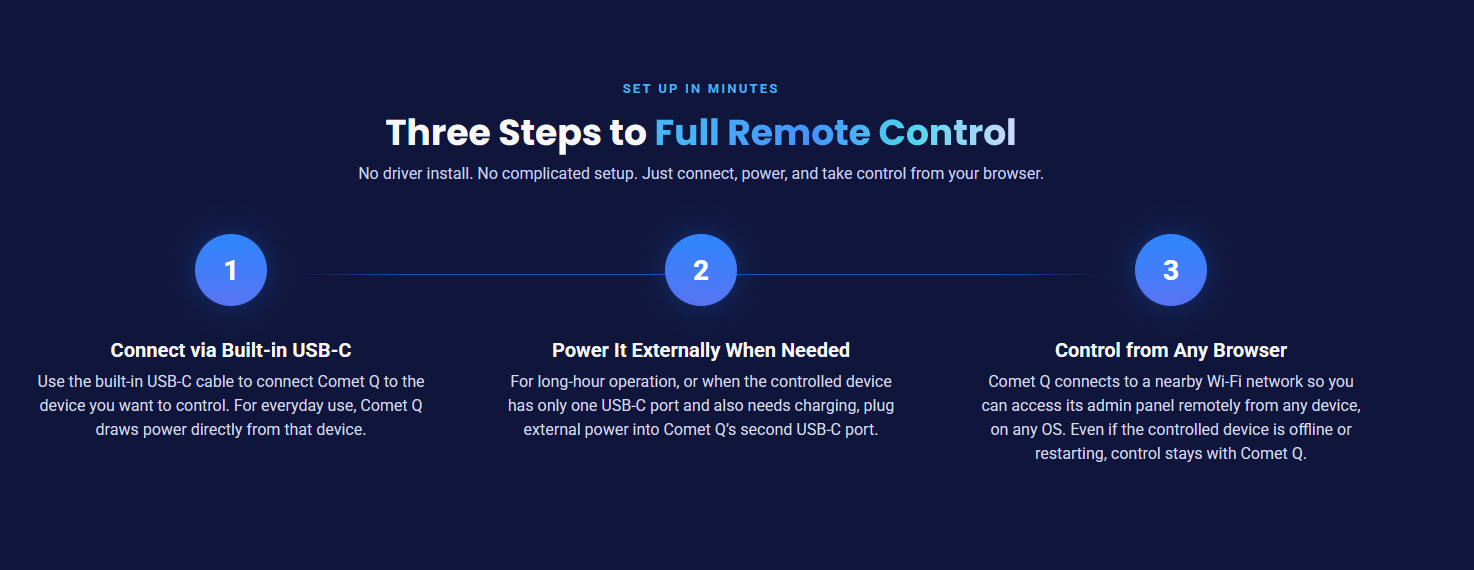
The principle is incredibly simple: a single cable for video, data and power. No HDMI adapter, no USB hub, no additional drivers. Simply plug it in, connect to the Wi-Fi and take full control via your browser at glkvm.com – from any device, running any operating system.
Because the Comet Q operates at the hardware level, the connection remains active even if the target device is locked, in sleep mode or is restarting. This makes it ideal for IT support, app development, device testing or the remote maintenance of devices with cracked screens – access is practically always possible.
Using the built-in 1.8-inch touchscreen, you can carry out the setup directly on the device: connect to Wi-Fi, check the status, activate the cloud service – all without the need for an additional laptop. Thanks to Wi-Fi 6, a stable and fast connection is available for remote access. A second USB-C port also provides power pass-through, ensuring that the connected device doesn’t run out of power whilst in use.
For secure access via the internet, the Comet Q comes with built-in support for Tailscale and ZeroTier – with no subscription fees whatsoever. This is complemented by two-factor authentication, PIN protection for the touchscreen and the generation of a dynamic binding code when connecting to your account.
Whether for IT teams managing a fleet of mobile devices, developers wishing to remotely control test devices, or for providing remote support to your own family: The Comet Q brings true KVM functionality to mobile devices for the first time – compact, wirelessly flexible and with no subscription required.
Technical Specifications
| Model | GL-RMQ1 (Comet Q) |
| Operating system | Buildroot (Linux-based) |
| Processor | ARM Cortex, dual-core |
| RAM / Storage | LPDDR4 512 MB / NAND 512 MB |
| Display | 1.8-inch touchscreen |
| Max. video resolution | 2K QHD @ 60 FPS |
| Latency | ~80 ms (including Wi-Fi)* |
| Wi-Fi standard | IEEE 802.11 a/b/g/n/ac/ax (Wi-Fi 6) |
| Wi-Fi speed | 2.4 GHz: up to 286 Mbps / 5 GHz: up to 286 Mbps |
| Antennas | 1 x internal Wi-Fi antenna |
| Power supply | USB-C PD, 5V/3A |
| Ports | 1 x USB Type-C (power pass-through) 1 x permanently attached USB-C cable (DP Alt Mode-compatible) |
| Remote access | Browser (glkvm.com), GLKVM app, Tailscale, ZeroTier |
| Security | Two-factor authentication, PIN lock, dynamic binding code |
| Weight | 78.5 g |
| Compatible devices | iPhone 15 and newer*, iPad Pro (2018+), iPad Air (4th gen.+), iPad mini (6th gen.+), Samsung Galaxy S8/Note 8 and newer, as well as most laptops/mini PCs with USB-C DisplayPort Alt Mode |
*Latency figure includes Wi-Fi transmission and is subject to network conditions. Device compatibility requires a USB-C port with DisplayPort Alt Mode; the iPhone 16e, 17e and iPhone Air are not currently supported.
* Your selection is saved in a cookie for shop.allnet.de