
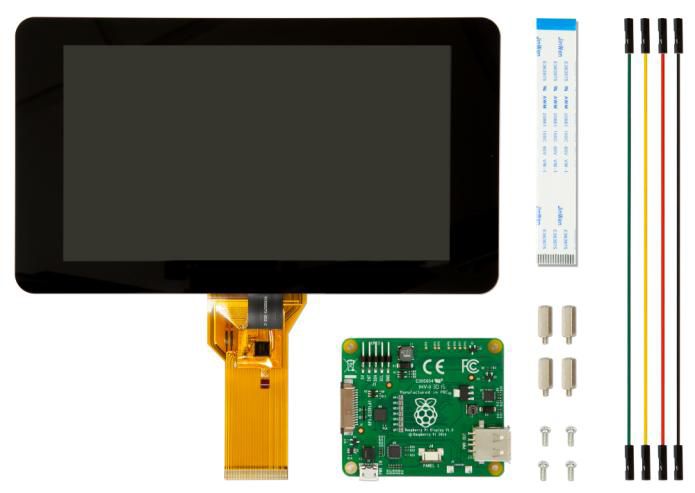
Raspberry Pi Zubehör - offizielles Display 7" Touch 800x480 Pixel DSI Port
Product number:
138969
EAN:
0640522710386
Manufacturer Number:
RPIO-7LCD
Weight:
0,420 KG
Product information "Raspberry Pi Zubehör - offizielles Display 7" Touch 800x480 Pixel DSI Port"
The 7″ Touchscreen Monitor for Raspberry Pi gives users the ability to create all-in-one, integrated projects such as tablets, infotainment systems and embedded projects. The 800 x 480 display connects via an adapter board which handles power and signal conversion. Only two connections to the Pi are required; power from the Pi’s GPIO port and a ribbon cable that connects to the DSI port present on all Raspberry Pis. Touchscreen drivers with support for 10-finger touch and an on-screen keyboard will be integrated into the latest Raspbian OS for full functionality without a physical keyboard or mouse.
- Turn your Raspberry Pi into a touch screen tablet, infotainment system, or standalone device.
- Truly Interactive – the latest software drivers will support a virtual ‘on screen’ keyboard, so there is no need to plug in a keyboard and mouse.
- Make your own Internet of Things (IoT) devices including a visual display. Simply connect your Raspberry Pi, develop a Python script to interact with the display, and you’re ready to create your own home automation devices with touch screen capability.
- A range of educational software and programs available on the Raspberry Pi will be touch enabled, making learning and programming easier on the Raspberry Pi.
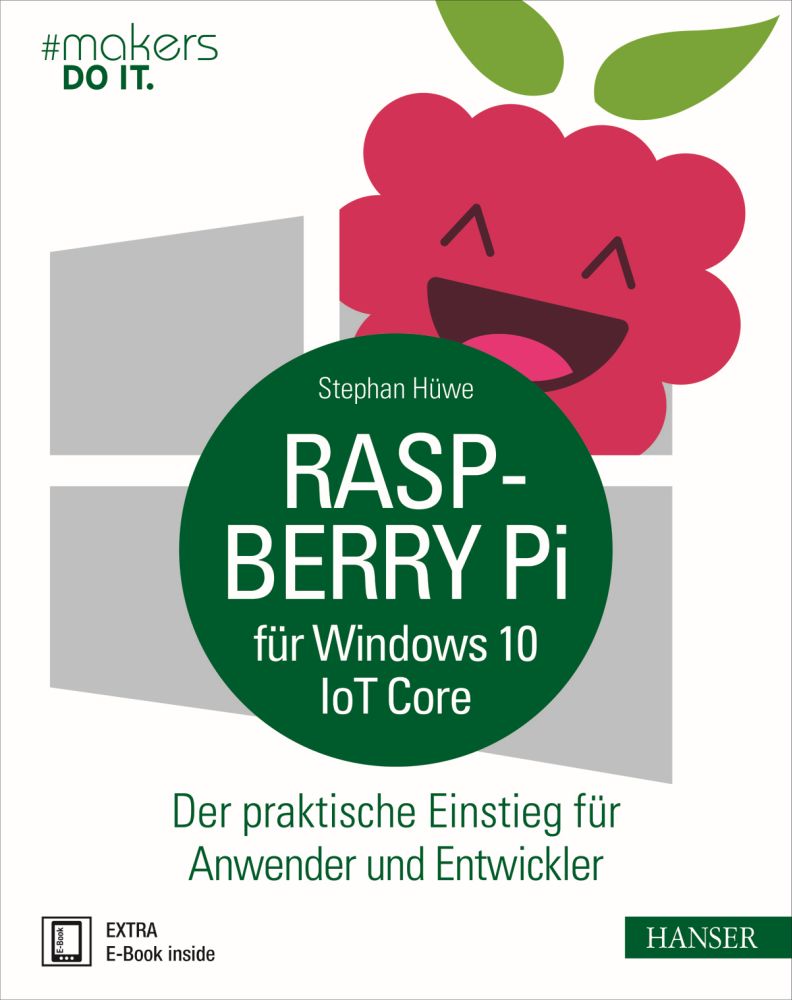
"Raspberry Pi für Windows 10 IoT Core" Hanser Verlag Buch - 192 Seiten inkl. E-Book
"Raspberry Pi für Windows 10 IoT Core
Realisieren Sie gerne hardwarenahe Projekte? Ziehen Sie die Werkzeuge aus der Windows-Welt denen von Linux vor? Dann hielt sich Ihre Begeisterung für den Raspberry Pi bislang sicher in Grenzen. Doch damit ist jetzt Schluss! Der Raspberry Pi ist nun fit für den Einsatz im Microsoft-Umfeld. In diesem Buch erfahren Sie alles, was Sie wissen müssen, um Ihre Projekte mit dem Raspberry Pi und Windows 10 IoT Core erfolgreich in die Tat umzusetzen. Schritt für Schritt führt Stephan Hüwe Sie in die Welt von Windows 10 IoT Core auf dem Raspberry Pi ein.
Folgende Themen erwarten Sie
Einstieg in die Welt des Raspberry Pi: Aufbau, Schnittstellen, Breadboarding, Kaufempfehlungen u.v.m.
Elektrotechnische Grundlagen & Energieversorgung am Raspberry Pi
Installation, Inbetriebnahme & Administration von Windows 10 IoT Core
Umsetzung, Deployment & Debugging von Projekten mit dem Raspberry Pi, Windows 10 IoT Core & Visual Studio
Raspberry Pi, Cloud & Internet der Dinge: Anbindung an Azure IoT Hub
Exkurs: Windows 10 IoT Core mit Arduino
Zahlreiche Beispielanwendungen, z.B. für Licht- und Kamerasteuerung, Temperatursensoren oder mobile Datenerfassung, liefern Ihnen Impulse für eigene Projekte. Die Codebeispiele basieren auf C#. Für schnelle Lernerfolge sollten Sie über Grundkenntnisse in einer .NET-Programmiersprache verfügen. Wenn Sie darauf brennen, Ihre eigenen Projekte mit dem Raspberry Pi zu verwirklichen, aber kein Fan von Linux sind, dann liefert Ihnen dieses Buch alle wichtigen Skills, um das Dreigespann von Raspberry Pi, Windows 10 IoT Core und Visual Studio souverän zu meistern.
Extra: E-Book inside
Systemvoraussetzungen für E-Book inside: Internet-Verbindung und Adobe-Reader oder Ebook-Reader bzw. Adobe Digital Editions"
Wichtig: Sie sind als Reseller verpflichtet, sich an den Endkunden Verkaufspreis des Buches von 30,00 Euro brutto zu halten!
Product number:
151833
Manufacturer Number:
HV-RPFW10
Stock:
0x
Not in stock